
Most smart-home automations look impressive in a setup video and quietly decay in a real house. Lights that turn on when they should not. Routines that break after a phone update. Sensors that need constant babysitting. After the first week the cleverness fades and only the reliable pieces remain.
This Garage Lab report covers three automations that were still running, without daily intervention, after a full month of ordinary family use. They are not the most advanced. They are the ones that survived school mornings, tired evenings, guests, and the usual background chaos of a working household.
The standard was simple: if it required regular fixing, explanation, or forgiveness, it did not count as surviving.
How the Test Was Run

I started with a short list of candidate automations that had already been in place for at least a couple of weeks. For thirty days I did not add new complexity. I only observed which ones continued to deliver value with minimal attention.
Failure criteria included:
Needing manual re-triggers more than once or twice in the month
Creating unexpected behavior that annoyed other household members
Breaking after a routine device or app update
Requiring troubleshooting longer than the time the automation saved
Three automations cleared the bar cleanly. Several others did not. The difference was instructive.
Automation 1: Arrival Lighting for the Dark Entry
What it does: When someone arrives home after sunset, a small set of entry and hallway lights turns on at a moderate brightness for a limited time, then turns off automatically.
Why it survived:
The trigger is reliable (geofence or reliable presence combined with a time condition). The action is limited in scope and duration. No one has to remember to turn the lights off. Guests benefit without needing an explanation. The automation does one job and then gets out of the way.
Implementation Notes That Mattered
Brightness is kept intentionally moderate so the lights feel helpful rather than jarring.
A hard time-out (10–15 minutes) prevents lights from staying on if presence detection is imperfect.
The automation is restricted to after sunset so it never fires during daylight hours.
Only the minimum necessary lights are included. Expanding it to half the house would have increased both failure points and annoyance risk.
What Almost Broke It
Early versions tried to be smarter—different scenes for different people, longer durations, more rooms. Each addition created edge cases. The simplified version proved more durable.
Automation 2: “Everyone Has Left” Energy and Security Sweep
What it does: When the last person leaves the house, a short sequence runs: selected lights turn off, a few always-on devices switch to a lower-power state if appropriate, and the security system (or equivalent status) arms in the correct mode.
Why it survived:
It replaces a set of small, easy-to-forget actions with a single reliable check. The household already had a clear presence pattern. The automation only acts when the house is empty, so the cost of a false positive is low and the benefit of a true positive is noticeable on the power bill and peace of mind.
Implementation Notes That Mattered
Presence is based on a combination of phone location and, where helpful, a backup sensor or manual confirmation option. Pure geofencing alone was not always sufficient.
The list of devices it controls is short and high-value. It does not attempt to manage every plug in the house.
There is a short delay before execution so that someone running back inside for a forgotten bag does not trigger a full shutdown.
Critical devices (refrigerators, certain medical or network equipment) are never included.
What Almost Broke It
Earlier attempts included too many devices and produced occasional false empties when one person’s phone had poor location accuracy. Tightening the device list and adding a modest delay removed most of the frustration.
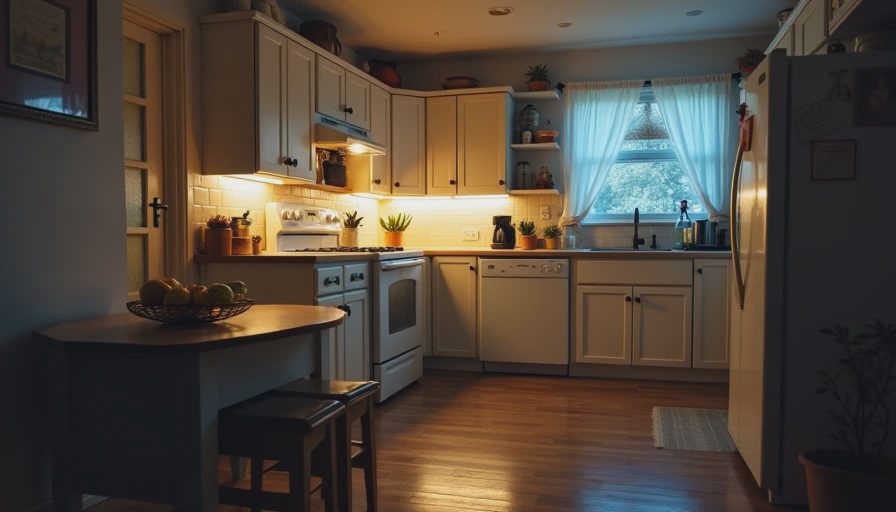
Automation 3: Kitchen Path Lighting After Dark
What it does: After a set evening hour, motion in the kitchen or hallway activates a low level of lighting for a few minutes—just enough to move around safely without turning on bright overheads or waking others.
Why it survived:
It solves a recurring, low-stakes nighttime need without requiring anyone to find a switch or reach for a phone. The lighting level is deliberately dim. The time window is limited. The automation feels like background infrastructure rather than an active system that demands attention.
Implementation Notes That Mattered
Motion sensitivity and timeout are tuned so that normal kitchen use does not create constant on/off cycling.
Brightness is kept low enough that it does not disturb people in adjacent rooms.
The automation is active only during defined late-evening and overnight hours.
It uses lights that are already part of the everyday setup rather than special-purpose night lights that add clutter.
What Almost Broke It
A previous version used brighter lights and a longer timeout. It felt helpful at first and quickly became another source of light pollution. Dimming the response and shortening the active window made it invisible when not needed and useful when it was.
What Did Not Survive the Month
Several automations that seemed promising at setup failed the reliability test:
Complex multi-condition lighting scenes that depended on exact presence + time + sensor combinations. Too many variables produced too many misses.
Voice-triggered routines that required precise phrasing or worked only when the correct speaker heard the request. Real households are noisy and imprecise.
Automations that tried to manage children’s device access in real time through smart plugs or network rules. They created more negotiation than they eliminated.
Anything that sent frequent notifications. The notification itself became the new friction.
The common pattern was over-ambition. The surviving automations each did one clear job, failed safely, and required almost no explanation to other people in the house.
Design Rules That Emerged
After watching what lasted and what did not, a few practical rules became clear:
Prefer short, bounded actions over elaborate scenes.
A light that turns on for ten minutes is more reliable than a multi-room mood system.Optimize for the tired, distracted user.
If the automation only works when everyone behaves perfectly, it will not survive.Limit the blast radius.
Automations that affect a few devices in one area are easier to trust than house-wide sequences.Build in time-outs and safe defaults.
Everything should eventually turn off or return to a known state without human intervention.Measure by attention cost, not cleverness.
The best automations are the ones you stop noticing because they simply work.
How to Apply This at Home
Start with one recurring friction point that happens in the dark, at the doorway, or when the house empties. Build the smallest automation that addresses it. Live with it for two weeks before adding conditions or expanding its scope. If it still feels helpful and quiet after a month, keep it. If it has generated troubleshooting time or family complaints, simplify or remove it.
Three reliable automations that remove daily friction are more valuable than a dozen fragile ones that need regular care.
Before you add another routine to the system, make sure it is something the household can live with when no one is paying attention.



No letters yet — be the first guest to write.