A SimpliSafe doorbell camera can solve a very ordinary household problem: knowing whether a package arrived, a child got home, or a visitor is standing outside without opening the door. The product only earns its place, though, if your family can install it, respond to alerts, and maintain it without turning the front entry into another project. Before you buy it, make sure you can live with it.
The SimpliSafe doorbell camera is most appealing to households already using a SimpliSafe security system. It can fit into the same app and broader alarm routine rather than creating one more isolated device. If you are starting from zero, compare the complete cost, including the doorbell, any required equipment, installation supplies, monitoring plan, and video-storage features. The camera itself is only one part of the household experience.
What the SimpliSafe Doorbell Camera Actually Does
The SimpliSafe Video Doorbell Pro is designed to replace a compatible wired doorbell and provide a view of the area directly outside your entry. It uses your home Wi-Fi connection to send video to the SimpliSafe app, where household members can view activity and receive notifications. It is not a general-purpose outdoor camera, and placement matters. A porch with a deep overhang, a busy sidewalk, or harsh afternoon sun can change what the lens captures.
Expect the usual doorbell-camera functions: live viewing, motion notifications, two-way communication, and recorded clips when the applicable service plan supports them. The exact features available to you depend on the current model, app, and subscription terms, so confirm those details before checkout. A plan that looks inexpensive monthly can become a meaningful annual expense when combined with alarm monitoring.
The useful question is not whether the camera can show a delivery. Nearly every current doorbell camera can do that. Ask whether your family will recognize important alerts, whether the Wi-Fi reaches the front door, and whether someone will remember to update payment information for the service.
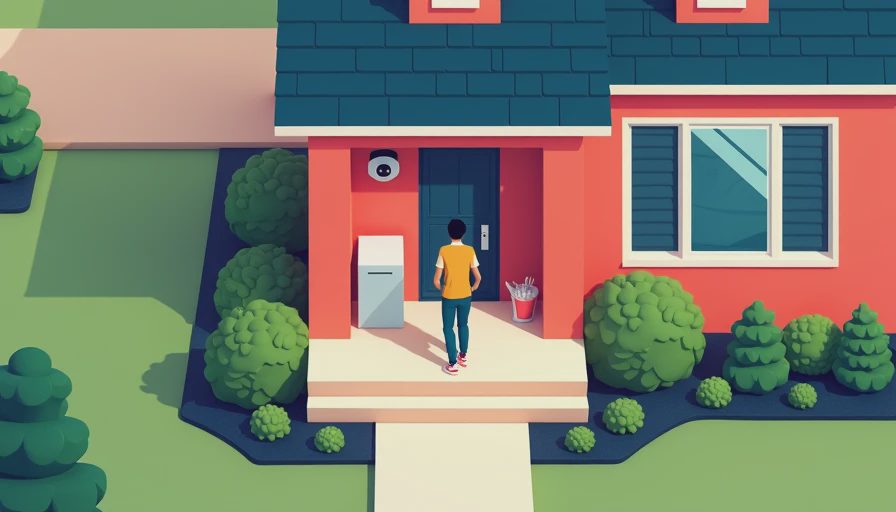
Installation: The First Household Friction Point
A wired SimpliSafe doorbell camera generally uses the existing doorbell wiring and chime arrangement, so installation is not the same as placing a battery camera on a wall. Turn off power at the appropriate breaker before handling wiring, and do not assume every old doorbell transformer provides the right electrical support. If the existing chime is damaged, the wiring is inaccessible, or you are uncomfortable testing low-voltage circuits, an electrician or experienced installer can prevent a frustrating afternoon.
Measure the mounting area before ordering. The camera needs a clear view of faces and packages, but it should not be pointed directly into a strong light source. A narrow porch can create a close-up view of visitors while hiding the walkway. A slightly angled mount can improve the picture, but the correct hardware depends on the door and siding.
After mounting, connect the device in the app and test it from several positions. Walk toward the door, stand beside the package area, and speak through the camera. Then test the notification on every phone that should receive it. This is where many smart-home demos fail: one owner gets a fast alert, while the rest of the family never completes account setup.
Video, Alerts, and Everyday Reliability
The SimpliSafe doorbell camera is most useful when alerts are timely and understandable. A notification that simply says motion detected can become background noise after a week of passing cars, trees, and neighborhood activity. Use the available motion settings to reduce unnecessary notifications, but spend time testing before making the settings too restrictive. You want to avoid both extremes: a phone that buzzes constantly and a camera that misses the arrival you actually care about.
Wi-Fi strength is a major variable. The camera may work perfectly during installation and struggle later if the router is at the opposite end of the house, behind thick walls, or inside a cabinet. Check the signal near the door with a phone before deciding the camera is defective. If coverage is weak, moving the router, improving mesh placement, or replacing an aging access point may help more than buying another camera.
Two-way audio is handy for telling a courier where to leave a box, but it is not a substitute for a complete conversation. Busy streets, wind, and the speaker position can make speech difficult. Teach children not to unlock the door simply because someone appears on the screen. The camera improves awareness; it does not remove the need for a household rule.

Subscription Cost and the Real Price of Ownership
A SimpliSafe doorbell camera may have a reasonable purchase price, but the ongoing plan deserves equal attention. Depending on the current offering, cloud video recording, extended history, or certain monitoring functions can require a paid subscription. Plans and prices change, so read the current feature comparison instead of relying on an old review or a checkout headline.
For a family budget, write down the first-year total. A simple example might include a camera costing roughly $100 to $200, installation materials costing $10 to $50, and a monthly service charge that adds up to several dozen dollars or more per year. Professional installation, if selected, changes the calculation again. A subscription can be worthwhile if you want recorded evidence after an event, but it is harder to justify if your only need is occasional live viewing.
Also check what happens if you cancel. Some systems let the hardware continue operating with fewer features, while others make the camera less useful without cloud access. Account ownership matters when a partner, parent, or future homeowner needs to manage the system. Use a household email address or a documented administrator rather than tying the entire setup to an old personal account.
Privacy and Family Boundaries
A front-door camera records a shared space, including neighbors, visitors, delivery workers, and family members leaving the house. Aim it toward your property and entryway rather than a neighbor's windows or a broad section of the street. Adjust motion zones where possible, and avoid placing the camera where it can see private areas through a side window.
Review who has access to the SimpliSafe app. Remove former household members, avoid sharing one password, and enable available security protections such as two-step verification. Parents should explain to children when the camera may be watched and whether conversations through it are recorded or stored. A visible device should not become a silent family surveillance tool.
The SimpliSafe doorbell camera also deserves a monthly maintenance check. Confirm that the app still sends alerts, the lens is clean, the date and time are correct, and the account payment has not failed. Review stored clips and delete anything your household no longer needs when the service allows it. Good privacy is mostly routine, not a dramatic one-time setting.
Is It a Good Fit for Your Household?
Choose the SimpliSafe doorbell camera when you want a doorbell view connected to an existing SimpliSafe setup, prefer one security app, and have compatible wiring with dependable Wi-Fi near the entrance. It can be a sensible choice for families that value a straightforward alarm ecosystem more than unlimited customization.
Look elsewhere if you need a battery-powered installation, deep smart-home integration, local video storage, or advanced camera controls. Products from Ring, Google Nest, Arlo, and Eufy each take different approaches to subscriptions, storage, notifications, and platform compatibility. None is automatically best. The right choice is the one that fits your wiring, phones, privacy expectations, and willingness to maintain another account.
Before buying, stand at the intended mounting spot and inspect the view. Check the doorbell wiring, test Wi-Fi, calculate the first-year cost, and decide who receives alerts. Then ask whether a real person will answer those alerts during school pickup, dinner, and bedtime. The SimpliSafe doorbell camera is a useful household component when those practical details line up. The demo is not the daily experience; the daily experience is whether the system quietly works when everyone is busy.

No letters yet — be the first guest to write.