Seeing bright spots iphone screen problems can be unsettling, especially when the phone belongs to a child who needs it for school, or to a parent who relies on it for work and family logistics. These glowing patches are usually related to the display hardware, pressure beneath the screen, a stuck pixel, or uneven backlighting. They are not always an emergency, but they rarely fix themselves permanently.
The first useful step is to determine whether the mark is part of the software image or visible across everything the phone displays. A bright dot that appears only in one app could be a graphic problem. A white, yellow, or pale glow that remains on the Lock Screen, Settings, and a black photo is more likely a screen issue.
What bright spots iphone screen symptoms usually look like
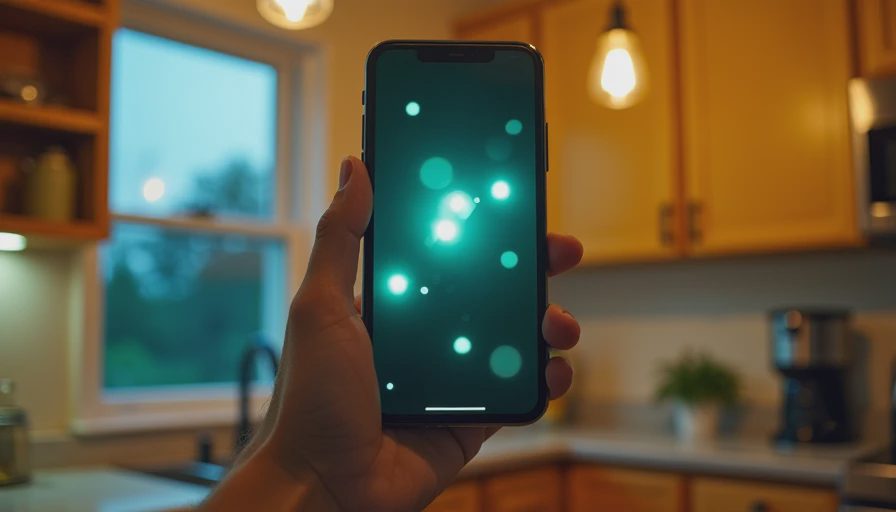
A bright spot can appear as a pinpoint, a small circle, a hazy patch, or a crescent near an edge. On an OLED iPhone, an isolated bright pixel may look like a tiny white star against a dark background. On an LCD model, the problem can resemble a lighter cloud caused by pressure, diffuser damage, or uneven illumination.
Pay attention to when you first noticed it. If the phone was recently dropped, squeezed in a backpack, or exposed to heat, physical damage becomes more likely. A bright patch near the bottom of the display can also follow a hard impact that did not crack the glass. The outside may look perfect while the layers underneath are damaged.
Take a screenshot and view it on another device. If the spot appears in the screenshot, investigate software or the image being displayed. If the screenshot looks normal elsewhere, the iPhone display itself is the stronger suspect. This simple test takes less than two minutes and prevents a lot of unnecessary resets.
Why bright spots iphone screen problems happen
The display is not a single sheet. It contains glass, touch-sensing components, pixels, adhesives, and supporting layers. Pressure from a tight case, a bent frame, or a swollen battery can affect those layers. A battery that is expanding is a safety concern because it can push the screen away from the phone body.
Heat is another contributor. Leaving an iPhone on a car dashboard, charging under a pillow, or using demanding apps in direct summer sun can stress the display and battery. One hot afternoon usually does not create an obvious mark by itself, but repeated heat combined with age or impact can expose a weak point.
Manufacturing defects are possible as well. If the phone is relatively new and the mark appeared without a drop, pressure, moisture, or unusual heat, document it with clear photos. Apple and other repair providers can inspect the device and determine whether it qualifies for warranty service. Keep your purchase information and repair history available.
A safe home test before spending money
Start by removing the case and screen protector. Some protectors have trapped dust, adhesive bubbles, or a damaged coating that looks like a display defect. Clean the glass with a soft, slightly damp microfiber cloth, then dry it. Do not spray liquid directly onto the phone, and do not use paper towels, household glass cleaner, alcohol-heavy products, or abrasive pads.
Next, open a plain white image, a black image, and a medium-gray image at full brightness. Look at the phone from straight on, then from a slight angle. A stuck pixel typically remains sharply defined. A pressure mark or backlight irregularity often spreads softly into nearby areas. Take a photo of each test screen so you can compare the size over the next few days.
Restart the iPhone and install any available iOS update, but do not expect software to repair physically damaged pixels. Avoid pressing, rubbing, tapping, or massaging the bright area. Videos that promise to “unstick” pixels by flashing colors can create heat and do not repair a damaged display layer.

Repair, warranty, or replacement?
The right choice depends on the phone's age, value, and the size of the bright spot. A tiny stable pixel on an older iPhone may be tolerable if touch input, Face ID, brightness, and battery life are still good. A spreading patch, flickering display, dead touch area, or screen lifting away from the frame deserves faster attention.
For bright spots iphone screen damage on a newer device, start with an Apple Store or an Apple Authorized Service Provider. Apple may offer a display replacement rather than replacing the entire phone, depending on model and damage. Independent repair shops can cost less, with screen jobs commonly ranging from roughly $100 to $400 depending on the iPhone generation and part quality. Ask whether the replacement is genuine, refurbished, or aftermarket, and whether the repair preserves True Tone and other features.
AppleCare+ can change the economics because accidental-damage service fees are generally lower than paying the full out-of-warranty price. The exact fee depends on the plan and device. Carrier insurance can also help, but check the deductible, claim limit, replacement condition, and turnaround time before filing a claim.
How to decide for a family phone
Think beyond the repair quote. If a six-year-old iPhone has a bright mark, weak battery, poor storage, and an unreliable charging port, putting $250 into the display may not be sensible. A newer phone with one isolated screen defect can be worth repairing because it may provide another two or three years of dependable use.
For a child’s phone, check practical safety issues first. Is the display readable outdoors? Can the child reliably answer calls and see emergency information? Does the touch screen work around the bright area? A cosmetic annoyance is different from a phone that makes navigation or communication difficult.
Before handing the device to a technician, make an encrypted backup to iCloud or a computer, confirm the Apple ID password, remove payment cards if appropriate, and photograph the phone’s condition. Enable Find My only as directed by the repair provider, and ask how long the repair will take. A temporary spare phone can prevent a small hardware problem from becoming a family scheduling problem.
Preventing the next display problem
Use a case that protects corners without squeezing the screen, and replace a cracked screen protector instead of stacking another one over it. Keep the phone out of direct sunlight during charging, avoid leaving it in a hot vehicle, and do not carry it in a pocket with keys or tools. These habits are simple, but they address common sources of pressure and heat.
Battery health matters too. A battery that needs frequent charging is not automatically dangerous, but a visibly lifting screen, unusual heat, chemical smell, or sudden separation between the display and frame calls for immediate service. Stop charging that phone and keep it away from flammable materials until it is inspected.
Bright spots iphone screen issues are easier to manage when you document the symptom early. Test the screen, rule out the case and protector, back up your data, and compare the repair cost with the phone’s remaining useful life. The demo is not the daily experience; a family device earns its place by staying readable, safe, and dependable on an ordinary Tuesday.



No letters yet — be the first guest to write.