Most families do not need a secret bunker, a dozen encrypted apps, or a weekend spent reading legal agreements. They need data privacy solutions that keep account details, location history, photos, school information, and household routines from spreading farther than necessary. The goal is not perfect privacy. It is a home technology setup that is reasonably private, understandable, and maintainable when everyone is trying to leave for school or work.
I think about privacy as a household systems problem. A smart speaker, phone, television, doorbell, laptop, and grocery app each make a small request for information. Individually, those requests can seem harmless. Together, they create a detailed picture of where your family goes, what it watches, when the house is empty, and which services it uses. Good data privacy solutions reduce unnecessary collection while preserving the convenience that made the devices worth buying.
Start with a household data map
Before changing settings, write down the services that know the most about your family. Include Apple or Google accounts, Amazon, streaming services, school portals, health apps, banking apps, smart-home platforms, wireless carriers, and your internet provider. Add every camera, voice assistant, fitness tracker, and family calendar that can identify a person or record activity.
For each account, ask four plain questions: What information does it collect? Who can access it? How long is it kept? What would happen if the account were taken over? This quick inventory often reveals more useful priorities than a broad privacy checklist. A living-room television might collect viewing activity, but an email account can reset other accounts, expose family photos, and reveal school communications. Secure the accounts with the widest reach first.
Use a password manager such as 1Password, Bitwarden, or the built-in password manager from Apple or Google. Give every important account a unique password, then turn on multifactor authentication. An authenticator app or security key is generally stronger than text messages, although text-based verification is still better than using no second factor. These are foundational data privacy solutions because a reused password can defeat every carefully chosen device setting.
Make privacy settings usable, not perfect
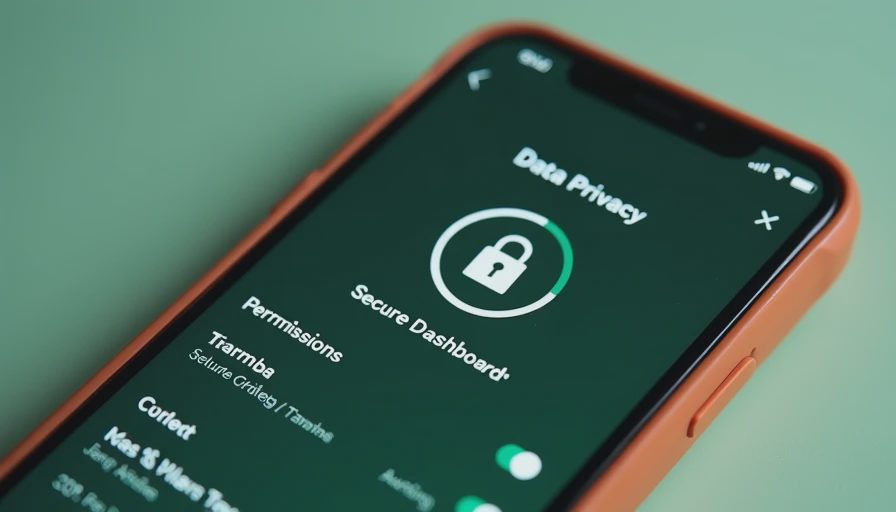
Privacy dashboards can be overwhelming because they mix essential controls with marketing preferences. Work through them in this order: account security, location access, microphone and camera access, contact access, advertising personalization, and data retention. On an iPhone or Android phone, review which apps can use location all the time. Most household apps only need access while open, and some do not need location at all.
Check the same permissions on a child’s tablet. Games and free utilities frequently request contacts, precise location, or microphone access that has little to do with their core function. Denying unnecessary permissions does not make a device invisible, but it reduces the amount of information available to each app. Revisit these settings after major operating-system updates because new features and permissions can appear during setup.
Smart speakers deserve a separate conversation. Amazon Echo, Google Nest, and Apple HomePod devices are designed to respond to a wake phrase, but voice recordings and transcripts can still become part of an account history. Delete old recordings according to the platform’s controls, disable voice purchasing, and avoid placing a speaker in a bedroom or a space where private conversations routinely happen. The most effective privacy setting is sometimes moving the device six feet away from the conversation.
Fix the family account structure
Sharing one login feels convenient until a child changes a subscription, a former device remains signed in, or nobody knows which email controls the household camera. Use individual accounts wherever a service supports them, with a family group for shared purchases, storage, calendars, or streaming. This creates clearer boundaries and makes it easier to remove access later.
Keep the primary email account especially protected. It is often the reset key for everything else. Use a unique password, multifactor authentication, current recovery information, and an occasional review of signed-in devices. Remove old phones, tablets, and browser sessions instead of assuming they logged out automatically. If a family member leaves a device in a rental car or sells it, this review can prevent an avoidable account problem.
For children, choose the least complicated arrangement that fits their age. A supervised Google account or Apple child account can support parental controls without giving a child the master password. Explain what the controls do rather than presenting them as secret surveillance. Older children should know which information is private, which apps can see their location, and how to report a suspicious message. Privacy becomes more durable when the person using the device understands the reason behind the boundary.
Separate convenience from exposure
A free service is not truly free if the household pays with attention, behavior data, or constant cleanup. That does not mean every ad-supported app is unacceptable. It means you should ask whether its benefit justifies its access. A flashlight app should not need contacts. A recipe app probably does not need continuous location. A doorbell camera may need cloud storage, but that storage should have a clear retention period and strong account protection.
Review connected televisions and streaming boxes twice a year. Turn off personalized advertising where available, limit automatic content sharing, and remove apps nobody uses. On a Roku, Fire TV, Apple TV, or smart television, an unused app can remain signed in long after the original reason for installing it is forgotten. Delete the app and revoke its account access through the associated website when possible.
Your home router is another practical part of data privacy solutions. Change the administrator password, install firmware updates, use WPA2 or WPA3 security, and create a guest network for visitors and inexpensive smart-home devices. A guest network is not a magic shield, but it can keep a questionable light bulb or visiting device away from computers, printers, and shared storage. Replace a router that no longer receives security updates, even if the Wi-Fi signal still seems fine.
Build a routine the household can actually keep
The best data privacy solutions are repeatable. Set a monthly reminder for account security alerts and a quarterly reminder for device cleanup. During the monthly check, review new sign-ins, password-manager warnings, and unusual purchase or login notifications. During the quarterly check, remove unused apps, delete old devices, inspect location permissions, and cancel subscriptions that no longer earn their place.
Create a short departure routine for phones and tablets. Before handing down or selling a device, back up needed photos, sign out of accounts, remove payment cards, erase the device, and confirm that it no longer appears in the family account. For a lost phone, use Find My or Find My Device to lock it, then change the most important passwords if recovery is uncertain.
Do not turn this into a family security lecture every Sunday. Put the checklist next to the place where devices are charged, and handle one category at a time. Ten minutes spent removing old access is more useful than buying a complicated privacy product nobody opens after the first week. Count the setup time, the monthly cost, and the number of times someone has to fix it.
A practical starting plan
If you want to begin tonight, secure the primary email account first. Tomorrow, enable multifactor authentication on banking, shopping, and cloud-storage accounts. This weekend, review phone permissions and remove unused apps. Next week, change the router administrator password, create a guest network, and check whether the router still receives updates. Finally, schedule a quarterly review and tell every household member what information should never be shared in an app or message.
You do not need to eliminate every connected device. You need sensible defaults, separate accounts, limited permissions, and a recovery plan for mistakes. Data privacy solutions work best when they fit the family’s existing habits instead of demanding a new technical identity. Before you buy another smart device or subscription, make sure you can live with its settings, its monthly cost, and the work required to keep it private.


No letters yet — be the first guest to write.