
Most families cannot answer a simple question with any precision: what technology do we actually own, what does it cost us every month, and what still earns its place?
Without that baseline, every new purchase is a guess. Every subscription renewal is a forgotten decision. Every “the Wi-Fi is slow again” conversation starts from scratch. An inventory is not busywork. It is the difference between managing a household system and reacting to one.
This template gives you a practical way to map every device, account, subscription, and connection in the house. It is designed for ordinary family use, not for IT departments. Complete it once, then update it when something changes.
Why an Inventory Matters More Than Another Review
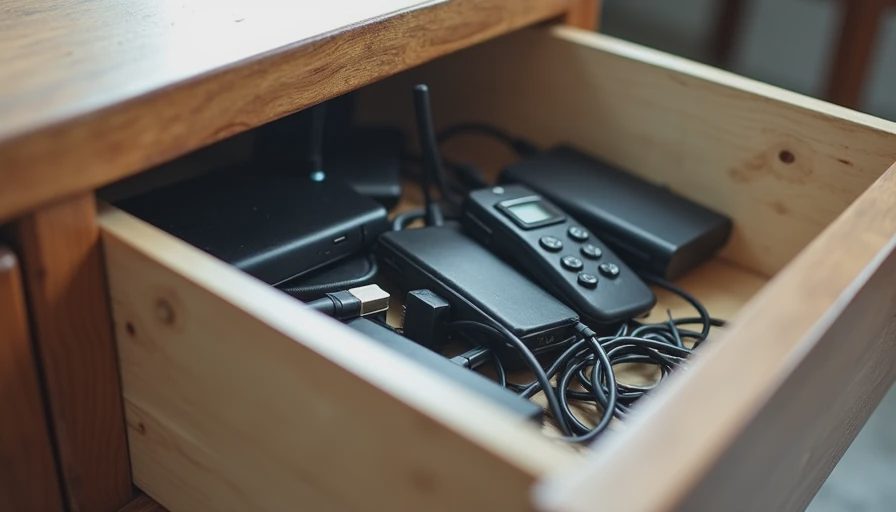
Product reviews assume you already know what you have. Most households do not. Devices accumulate. Accounts multiply. Shared logins drift. Old routers stay in closets. Streaming services renew because no one remembered to cancel them.
An inventory surfaces three useful truths:
What is actually in use versus what is simply present.
Where money is leaving every month without a clear return.
Which single points of failure sit under the surface of daily life.
Once those are visible, decisions become clearer. You stop adding until you understand the existing stack.
What This Template Captures
The inventory is organized into five layers. Most households only track the first one (physical devices) and ignore the rest. All five matter.
Physical devices
Network and connectivity
Accounts and access
Subscriptions and recurring costs
Shared rules and failure points
How to Complete the Inventory
Set aside 60–90 minutes. Work room by room if that helps, but record everything in one place. A simple spreadsheet works. A shared note also works. The format matters less than completeness and a date stamp.
Update the inventory whenever you:
Add or retire a device
Change a major subscription
Alter network layout or primary accounts
Notice a new recurring charge
Recommended Tools
A shared spreadsheet (Google Sheets or Excel) with one tab per layer
Or a single structured document with clear headings
Optional: a photo of each device’s model/serial label for later reference
Keep the master version in a place both decision-makers can access. Treat it as living documentation, not a one-time project.
Layer 1: Physical Devices
List every device that connects to power or the network and is intended for ongoing use. Include the ones in drawers and closets. They still represent past decisions and potential future clutter.
Suggested Columns
Field | Why It Matters |
|---|---|
Device name / common name | How the family actually refers to it |
Type | Phone, tablet, laptop, TV, speaker, camera, sensor, appliance, etc. |
Location | Room or primary user |
Brand + model | Needed for support, firmware, and replacement decisions |
Approximate age | Critical for reliability and upgrade timing |
Primary user(s) | Individual or shared |
Still in regular use? | Yes / Occasionally / No |
Notes | Battery health, known issues, “we never use the camera” |
Practical Tips
Walk the house with a phone and photograph labels as you go.
Include smart bulbs, plugs, sensors, and “set-and-forget” devices. They are easy to forget and often the source of mysterious network traffic.
Mark anything that has not been used in 90 days. Those are candidates for retirement or donation.
Layer 2: Network and Connectivity
This layer is usually the least documented and the most consequential. A household network is the foundation everything else sits on.
What to Record
Primary router/modem (brand, model, approximate age, ISP)
Any mesh nodes, access points, or range extenders
Separate networks or VLANs (guest, IoT, kids) if they exist
Main Wi-Fi name(s) and whether the password is shared or managed
Wired backhaul or powerline adapters, if any
Known dead zones or persistent problems
Who has administrative access to the router
Why This Layer Matters
Most “smart home” friction begins here. Devices that cannot stay connected create constant small interruptions. Guest networks that were never set up properly become either security gaps or usability barriers. Knowing the current layout prevents buying another extender before understanding the actual problem.
Layer 3: Accounts and Access
Devices are only half the system. Accounts determine who can control what, who can see what, and what happens when someone leaves the household or loses a device.
Core Items to List
Primary household email(s) and recovery methods
Password manager (if used) and who has access
Shared streaming, shopping, and cloud accounts
Apple ID / Google accounts / Microsoft accounts tied to family devices
Smart-home platform accounts (Google Home, Amazon, Apple Home, Home Assistant, etc.)
Parental-control or screen-time accounts
Any “family” sharing groups and who is included
Key Questions to Answer
Which accounts are truly shared versus individual?
Where are recovery codes or backup methods stored?
What happens if the primary account holder is unavailable?
Are there any devices still logged into old or unused accounts?
This layer often reveals quiet risks: an old tablet still signed into a parent’s primary account, a smart speaker that retained previous voice profiles, or a shared password that has never been rotated.
Layer 4: Subscriptions and Recurring Costs
This is where the quiet monthly drain becomes visible. List every service that charges automatically, even the small ones.
Suggested Columns
Field | Notes |
|---|---|
Service name | Exact billing name if different from marketing name |
Monthly or annual cost | Convert everything to monthly for comparison |
Renewal date | Or billing cycle |
Who uses it | Individual, shared, or unclear |
Still providing clear value? | Yes / Marginal / No |
Cancellation friction | Easy / Requires call / Unclear |
Notes | Tied to a device, free tier available, etc. |
Categories Worth Checking
Streaming video and music
Cloud storage and photo backups
AI tools and productivity subscriptions
Smart-home or security monitoring
Antivirus, VPN, or identity services
App store subscriptions on every family member’s account
Domain, email, or website services if any exist
Many households discover $30–80 per month in services that no longer match actual usage. Visibility alone often produces better decisions than any review article.
Layer 5: Shared Rules and Known Failure Points
The final layer captures the human and operational side of the stack. These items rarely appear in product manuals.
Record the Following
Current screen-time or device rules (formal or informal)
Who is responsible for updates, troubleshooting, and renewals
Known failure modes (“the robot vacuum gets stuck under the couch every week”)
Devices or services that create recurring arguments or workarounds
Privacy boundaries the household has already agreed on (or failed to agree on)
Backup status for photos, documents, and critical files
Emergency access plan (what happens if the primary tech person is unavailable)
This layer turns the inventory from a static list into a working map of how the household actually functions.
Putting the Inventory to Work
Once the five layers are filled in, three practical next steps become obvious:
Retire the unused. Devices and subscriptions marked “No” or “Occasionally” are candidates for removal. Removing them reduces both cost and cognitive load.
Identify single points of failure. One aging router, one overloaded primary account, or one person who holds every admin password creates quiet risk.
Set a lightweight review cadence. A 20-minute quarterly check is usually enough to keep the inventory useful without turning it into a second job.
The inventory is not a judgment of past decisions. It is a clear picture of the current system so future decisions can be better.
Template Summary Checklist

Use this as a quick-start outline:
Physical Devices
Every connected or powered device listed with age, location, and usage status
Network
Router/modem, mesh/extenders, network names, admin access, known problems
Accounts
Primary emails, password manager, shared platforms, family sharing groups, recovery methods
Subscriptions
All recurring charges converted to monthly, usage assessed, cancellation path noted
Rules & Failure Points
Current household rules, responsibilities, known pain points, backup status, emergency access
Complete the inventory once. Keep it current. Then the rest of the stack becomes much easier to improve.
Before you buy the next device or renew the next subscription, make sure you can see what you already have—and whether you can live with it.

No letters yet — be the first guest to write.